
iPhone / iPad App Installer
Install the SMART Local 7 App
Follow these quick steps. Keep this page open until the app opens successfully.
Tap Install
Tap the button below, then tap Install when your iPhone or iPad asks for confirmation.
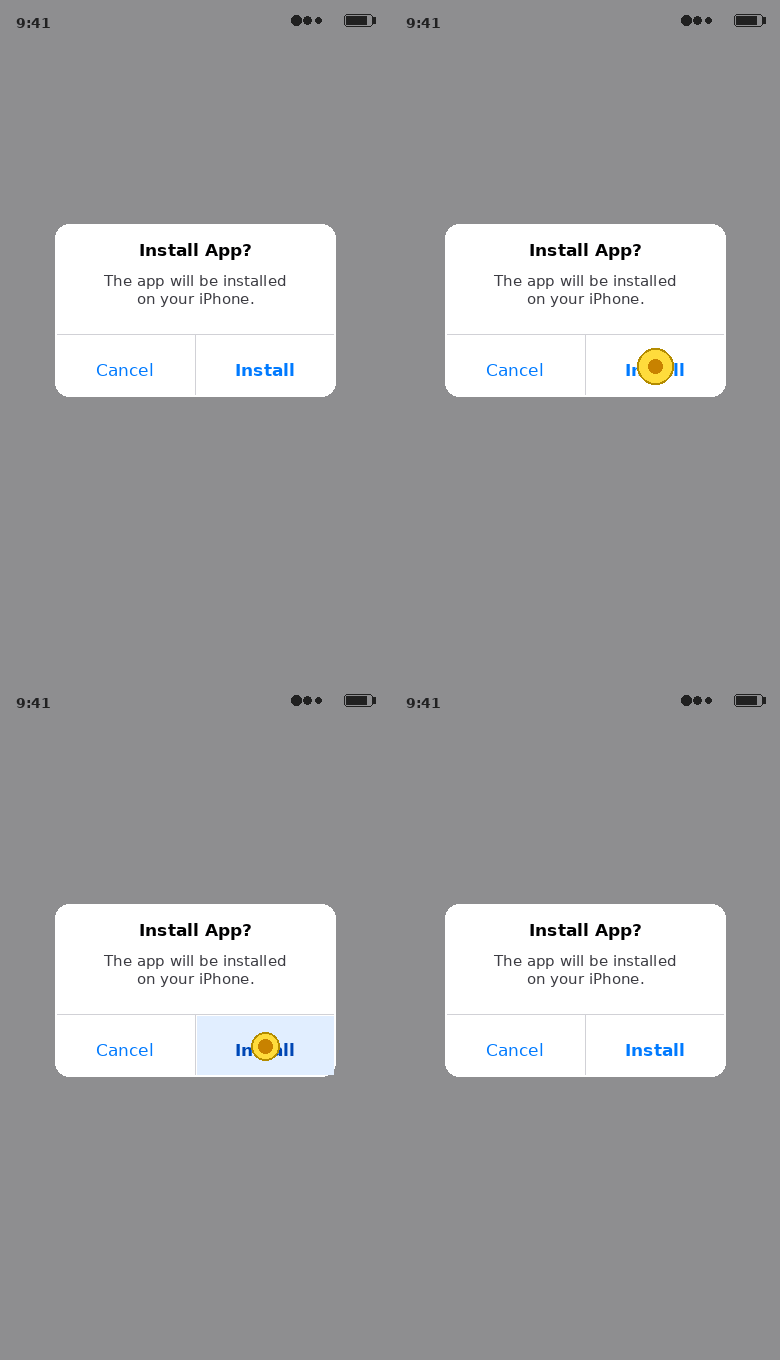 Install SMART Local 7
Nothing may appear to happen for a few seconds. That is normal.
Wait for the icon to finish loading
Look for the SMART Local 7 icon on your Home Screen. Wait until the icon is fully loaded before opening it.
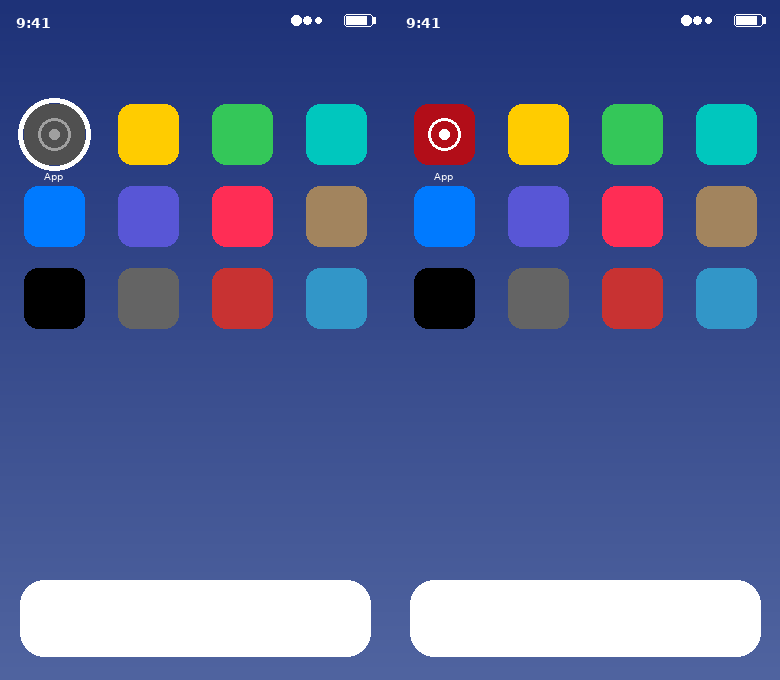
Open the app once
Tap the SMART Local 7 app icon. You will see an Untrusted Enterprise Developer message. Tap Cancel.
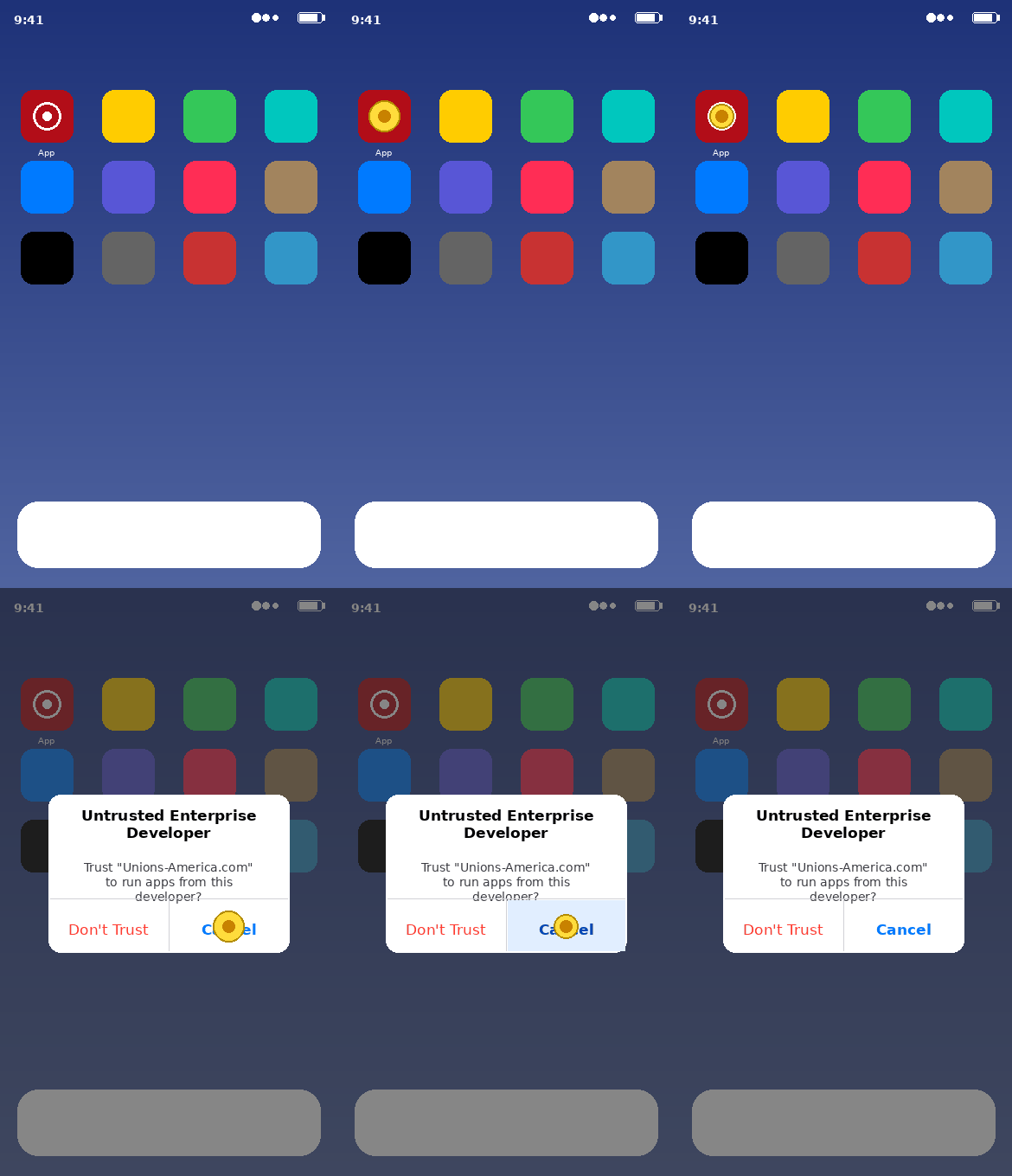
Trust the developer
Go to:
Tap Trust “Unions-America.com”, then confirm.
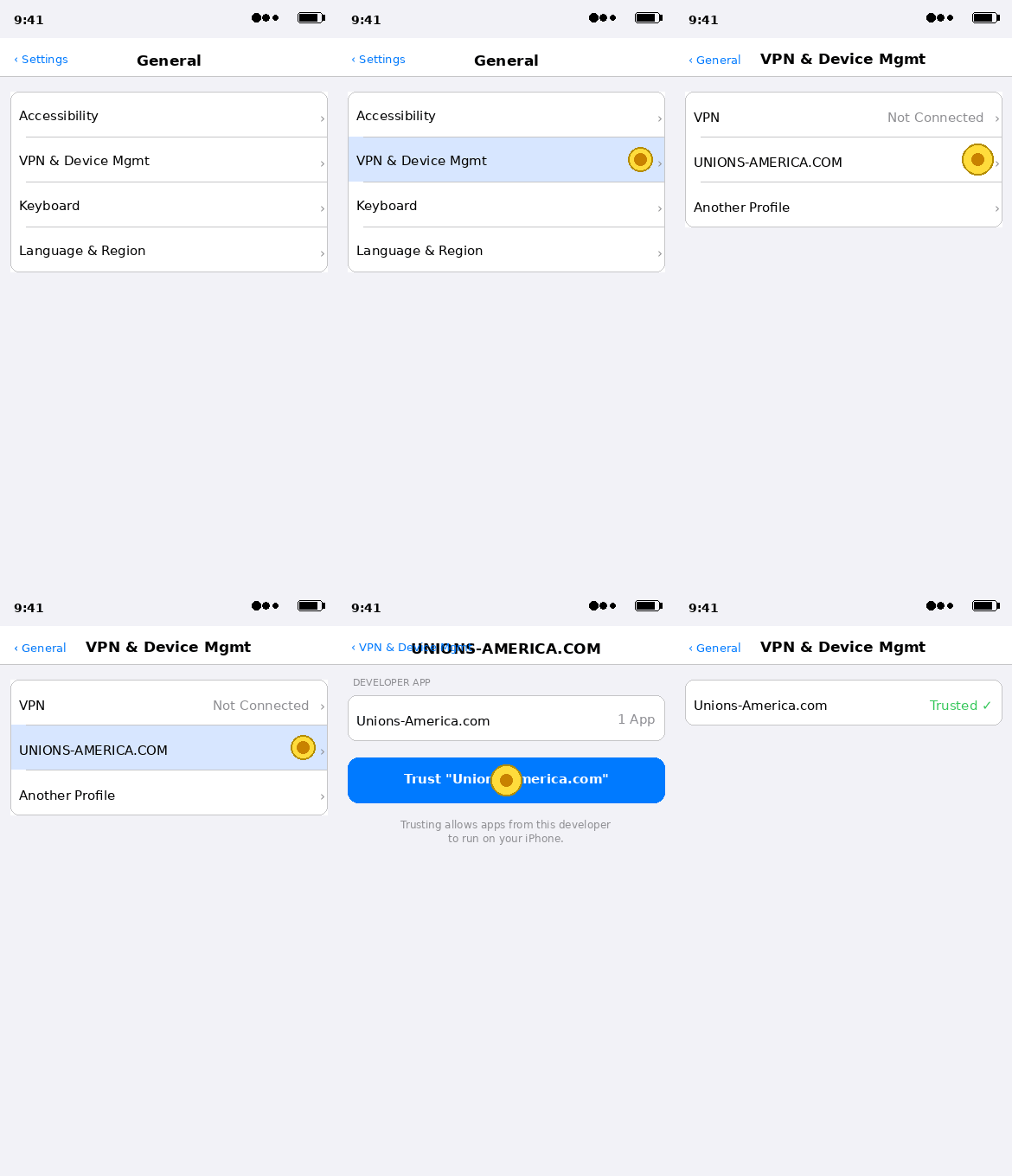 Open Settings
The Settings button may not work on every iOS version. If it does not open Settings, open the Settings app manually.
You're all set
Return to the SMART Local 7 icon and open the app.
Still having trouble?
I don't see the app icon
Swipe down on your Home Screen and search for SMART Local 7. If it does not appear, return to Step 1 and tap Install again.
I still see "Untrusted Enterprise Developer"
Go back to Settings → General → VPN & Device Management and confirm that Unions-America.com is trusted.
My phone says Allow & Restart
On iOS 18, iPadOS 18, and later, tap Allow & Restart. After your device restarts, return to Settings and finish trusting Unions-America.com.